
Download Batch Picture Protector – batch watermark, image protection, photo watermarking, watermark software, protect photos, watermark tool, image watermark, photo protection, protect images, batch processing
Overview
Batch Picture Protector is a specialized productivity tool designed to safeguard digital images by applying customizable watermarks in bulk. The app serves as a protective layer for photographers, artists, and content creators who share their work online and want to preserve authorship and prevent unauthorized use. By embedding visible watermarks into multiple images at once, it addresses the growing challenge of image theft in digital environments. The software is particularly useful for professionals managing large portfolios, such as stock photographers, freelance designers, or social media content producers who frequently upload visual assets.
Developed by Arnold A. Howe, the app has been available since 2014, indicating a long-standing presence in the image protection niche. While the developer’s background is not elaborated beyond the name, the app’s focused functionality suggests a targeted solution for a specific pain point: the need for efficient, reliable image watermarking without requiring advanced technical skills. Real-world use cases include protecting images before sharing on websites, social media, or online marketplaces. The tool helps maintain creative ownership while allowing public exposure of work.
Within the broader mobile and desktop app ecosystem, Batch Picture Protector fills a critical gap for users who prioritize content security. It offers a straightforward alternative to complex graphic design software, delivering a dedicated workflow for watermarking. Its batch processing capability makes it a practical choice for users seeking time-saving solutions without compromising on protection quality.
Key Features & Functionality
- Comprehensive Format Support: The software supports a wide range of image formats including JPEG, BMP, TIFF, GIF, PNG, PCX, and TGA. This ensures compatibility with most common file types used in photography and digital art, allowing users to work with their preferred formats without conversion.
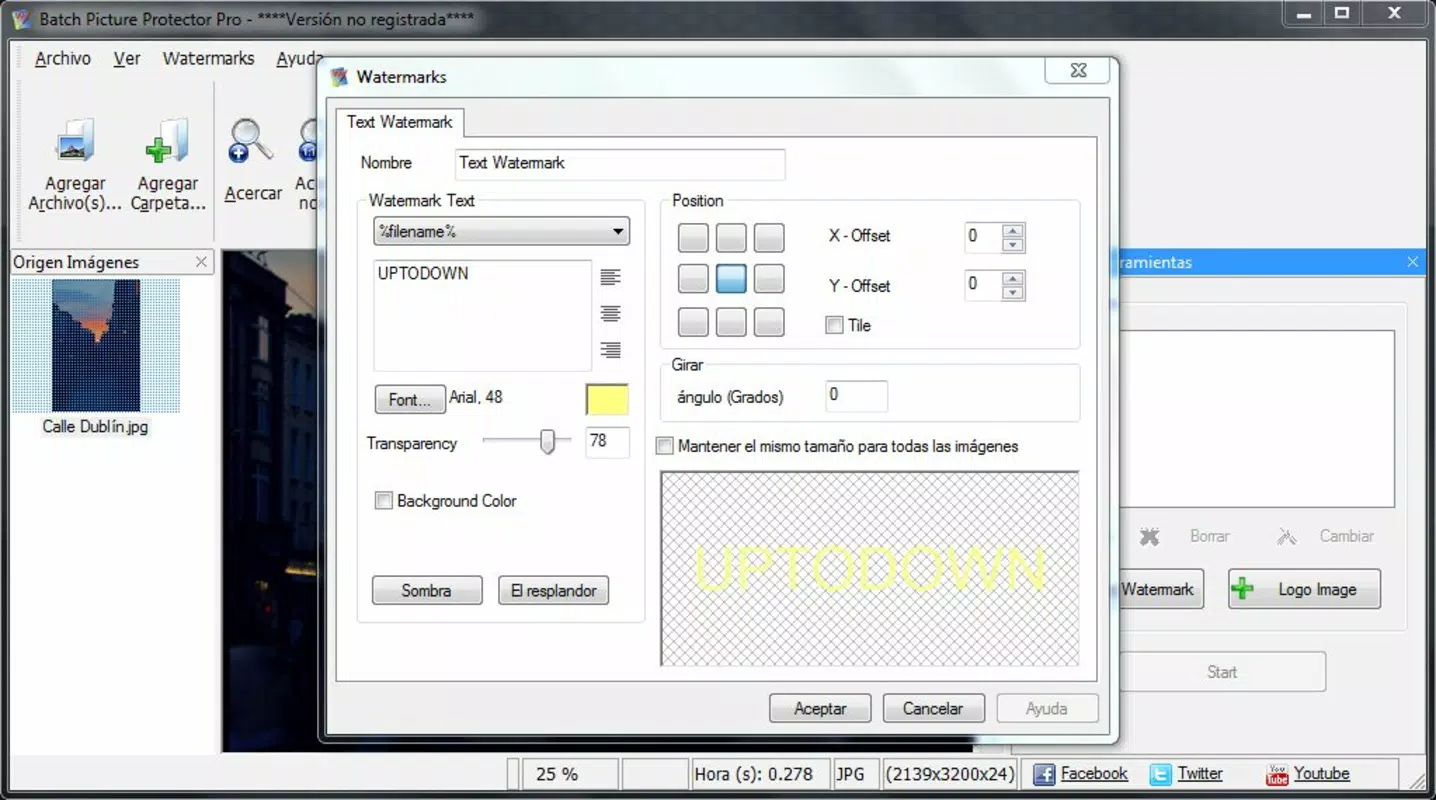
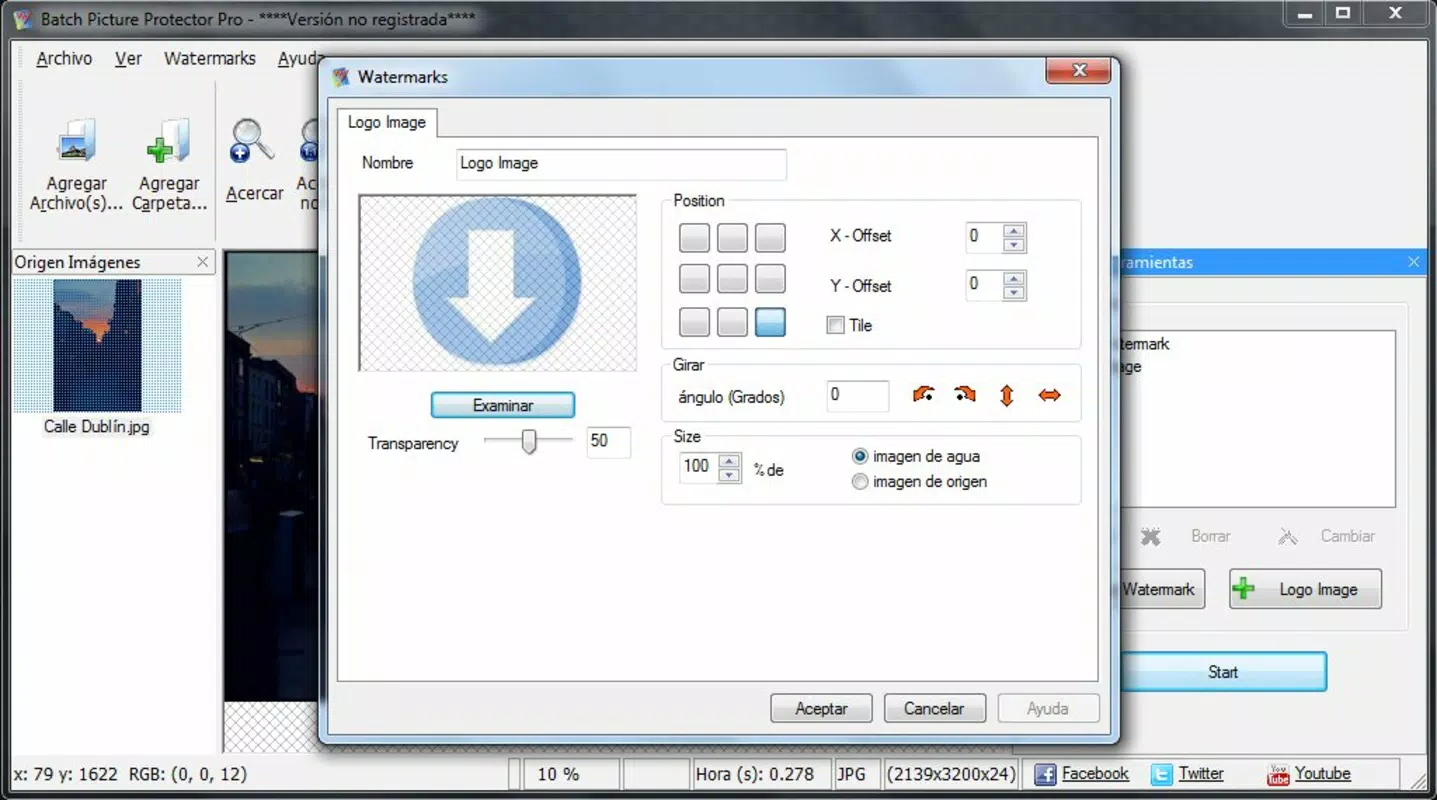
- Customizable Watermarks: Users can insert personal or business logos, signatures, or text-based watermarks. The tool allows customization of font, size, color, opacity, and rotation, enabling a unique and branded watermark that reflects the user’s identity or brand.
- Batch Processing Capability: The core functionality allows users to apply watermarks to multiple images simultaneously. This eliminates the need for manual processing, significantly reducing time and effort when handling large image collections.
- Persistent Watermark Placement: Watermarks are strategically positioned to avoid edges and commonly cropped areas, making them harder to remove without degrading image quality. This design choice enhances protection against theft and unauthorized reuse.
- Save Watermark Settings: Once a watermark configuration is created, users can save it for future use. This feature supports consistent branding and streamlines workflows, especially for users who apply the same watermark across multiple projects.
For example, a photographer preparing a portfolio for a client can apply a single watermark configuration to 200 images in minutes. Similarly, a digital artist sharing work on social media can protect their pieces by embedding a visible signature that remains intact even after minor edits or resizes.
Interface, UX & Performance
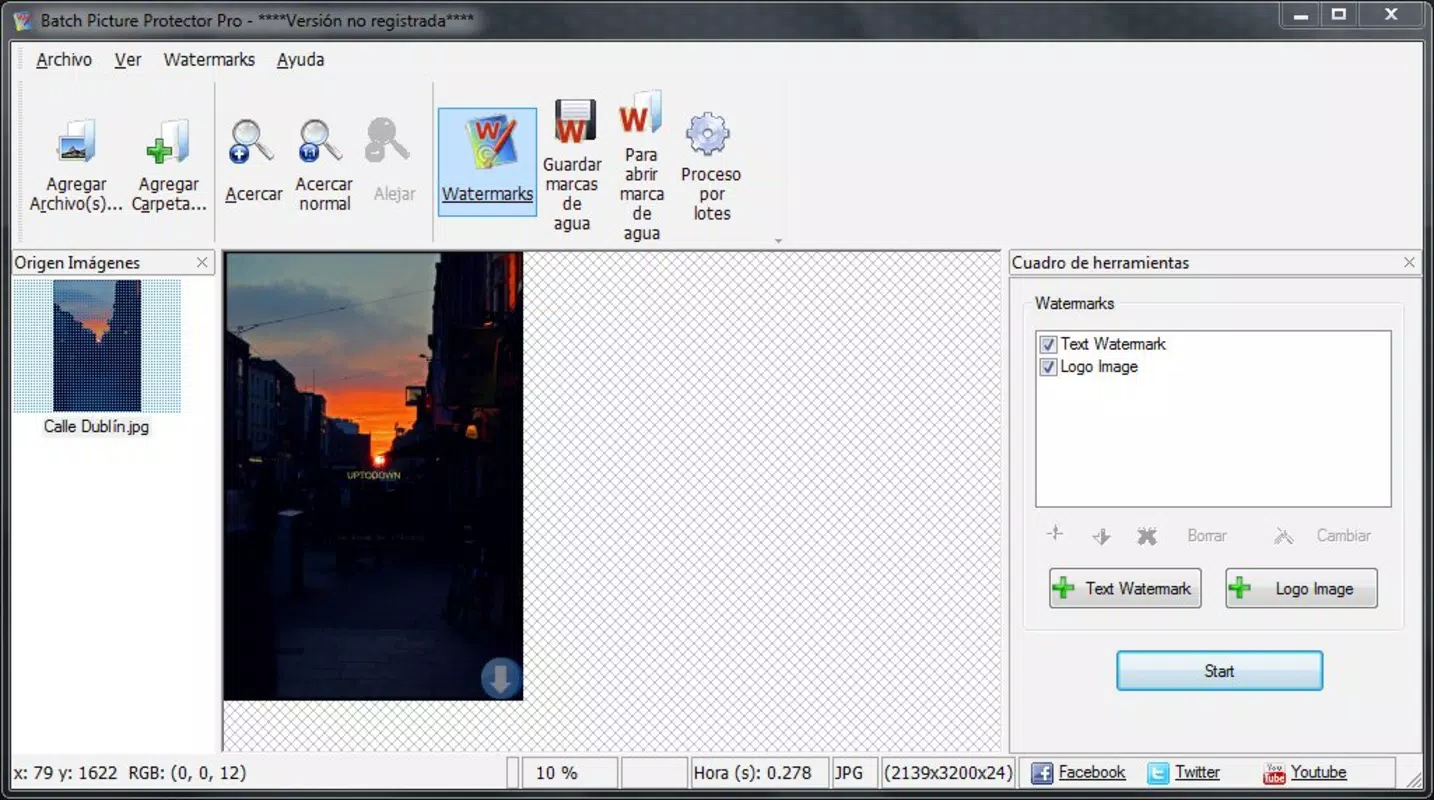
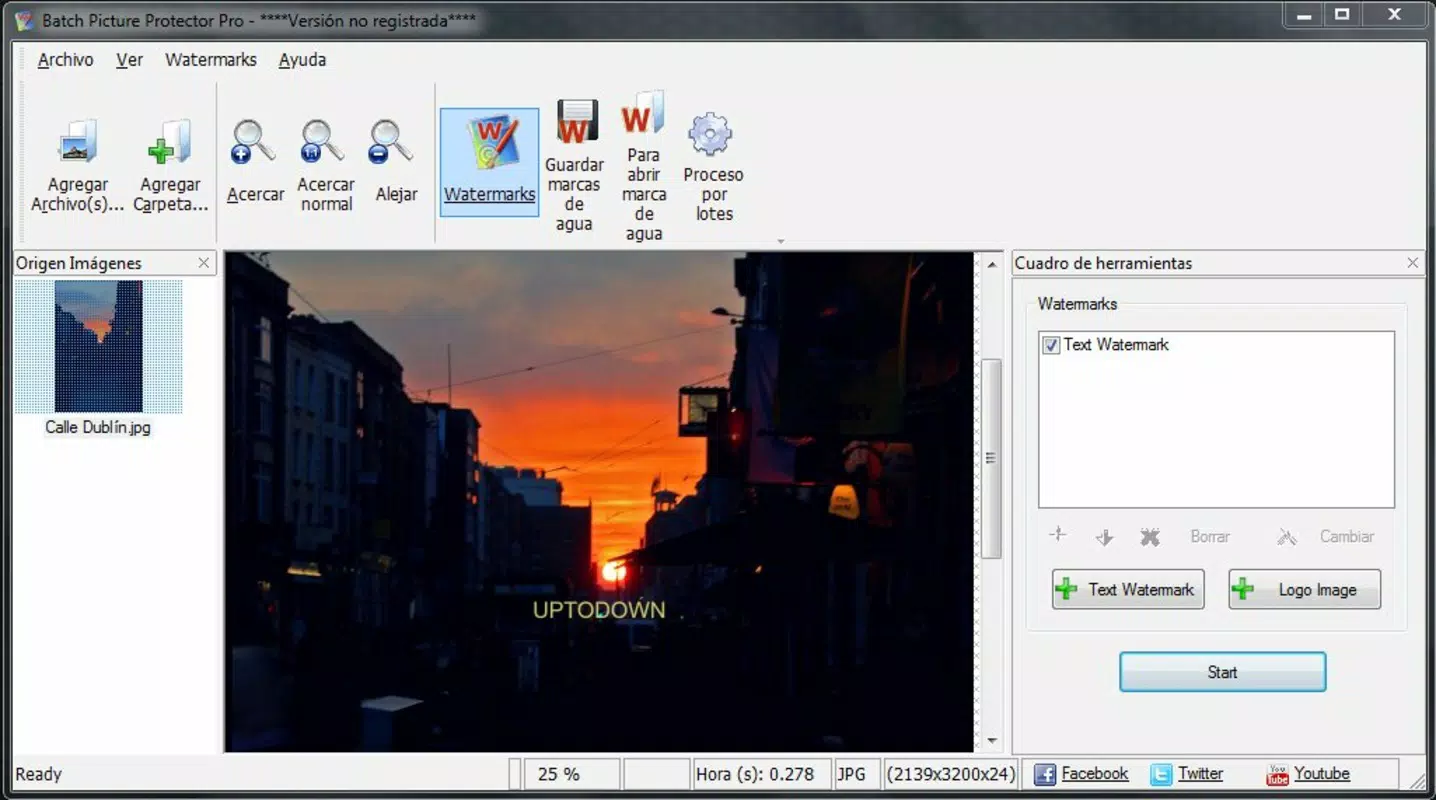
Although the developer did not provide detailed information on the user interface, the app’s functionality suggests a clean, task-oriented layout focused on workflow efficiency. The interface likely includes a file browser for selecting images, a watermark editor panel, and a preview window to assess placement and appearance. Navigation appears designed for simplicity, with intuitive controls for adjusting watermark properties and initiating batch processing.
Performance is expected to be stable given the app’s lightweight size of 10.2 MB and its focus on a single core function. The software is optimized for handling multiple image files without significant lag or crashes, particularly on modern Windows systems. Although the developer did not list formal performance metrics, the app’s ability to process batches efficiently implies strong responsiveness during operation.
Responsiveness across different device categories is not specified, but the app is designed for desktop use on Windows. Users can expect consistent behavior when working with high-resolution images, though actual performance may vary depending on hardware. Stability is likely maintained through dedicated processing logic, minimizing the risk of data loss or corruption during batch operations.
Platform Compatibility & Technical Requirements
Batch Picture Protector is available for the Windows platform. The software version is 1.0, and the file size is 10.2 MB. The developer did not specify minimum OS requirements, making it unclear whether the app supports older or newer Windows versions. Compatibility information was not fully disclosed.
Users should verify system compatibility before installation, especially if running legacy or updated Windows environments. The lightweight file size suggests minimal storage impact, making it accessible even on systems with limited disk space. No additional dependencies or runtime libraries were mentioned in the provided data.
Pros and Cons
- Efficient batch processing for large image sets
- Supports multiple image formats for broad compatibility
- Customizable watermarks with persistent placement
- Ability to save and reuse watermark configurations
- Lightweight file size and focused functionality
- Developer did not provide OS compatibility details
- Platform limited to Windows (no mobile or macOS support)
- No information on update frequency or future development
- Price point may be high for casual users
- Interface design and user experience details not publicly available
FAQ
Is Batch Picture Protector safe to download and install?
The app is developed by Arnold A. Howe and distributed as a standalone Windows executable. As with any third-party software, users should ensure the source is trusted and scan the file with antivirus software before installation.
Can I use Batch Picture Protector on macOS or mobile devices?
Based on the provided information, the app is designed exclusively for Windows. There is no indication of availability on macOS, iOS, or Android platforms.
Does the app support transparent watermarks?
While the developer did not specify transparency options, the ability to adjust opacity suggests that semi-transparent watermarks may be possible. Users should test the feature within the app to confirm functionality.
How often are updates released for Batch Picture Protector?
The developer did not disclose update frequency or release schedule. The current version is 1.0, and no newer versions have been mentioned.
Can I remove the watermark after it’s applied?
Watermarks are embedded directly into the image files. While they can be removed through advanced editing, the app’s persistent placement makes this difficult without degrading the image. The primary goal is to deter unauthorized removal.
Final Thoughts
Batch Picture Protector delivers a focused, reliable solution for users seeking to protect their digital images through batch watermarking. Its core strengths lie in format flexibility, customizable watermark design, and efficient processing of large image sets. For photographers, artists, and content creators who frequently share work online, this tool offers a practical way to assert ownership and discourage theft.
While the app’s platform restriction to Windows and lack of detailed technical documentation are limitations, its proven functionality and low file size make it a viable choice for desktop users. The ability to save settings and apply watermarks in bulk significantly enhances productivity, especially for professionals managing extensive portfolios.
Despite its age, the app remains relevant in a digital landscape where image rights are increasingly at risk. For those in need of a dedicated, no-frills watermarking utility, Batch Picture Protector provides a solid foundation for content protection.
Download Batch Picture Protector now


